


Our team continues to build and launch tools that make stock screening faster, sharper, and more seamless for what really matters: generating alpha and finding new trades.
Most recently, we rolled out an upgraded Screener experience that gives you full control to save, manage, and edit your custom screens with ease in a new modern format and design called Screener Presets.
Build Once. Reuse Anytime.
Create a screener preset using any combination of filters including fundamental, technical, or descriptive, and then save that screen directly to your Finviz account. Now, you can access this screen at any point in time, whenever you need it, and easily share it with friends or groups.
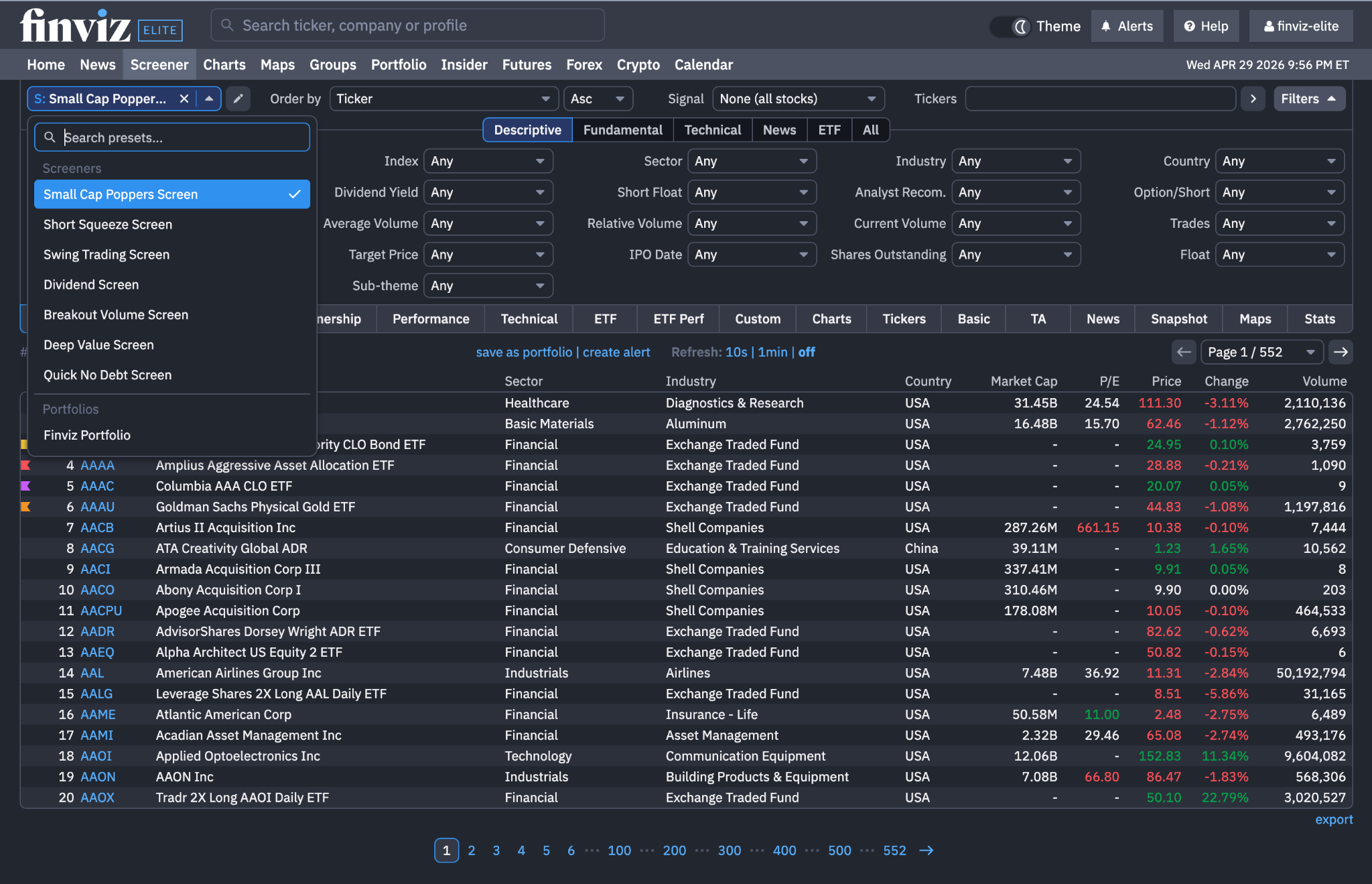
For example, here's a link to a Dividend Stock Screen that we made for finding high quality companies that pay dividends. In the image below, at the top left of our screener, you can see our dropdown with each saved screen that we've made so far:
Manage and Organize Screens With Ease
Every time you log into Finviz, your saved screens are instantly available right from the Screener menu and your account. Move seamlessly between trading ideas, keep your workspace clean, and stay focused on execution:
- Revisit high-performing screens in seconds
- Build a personalized library of setups
- Stay consistent in your process and idea generation
- Share your screens with other traders or across the web
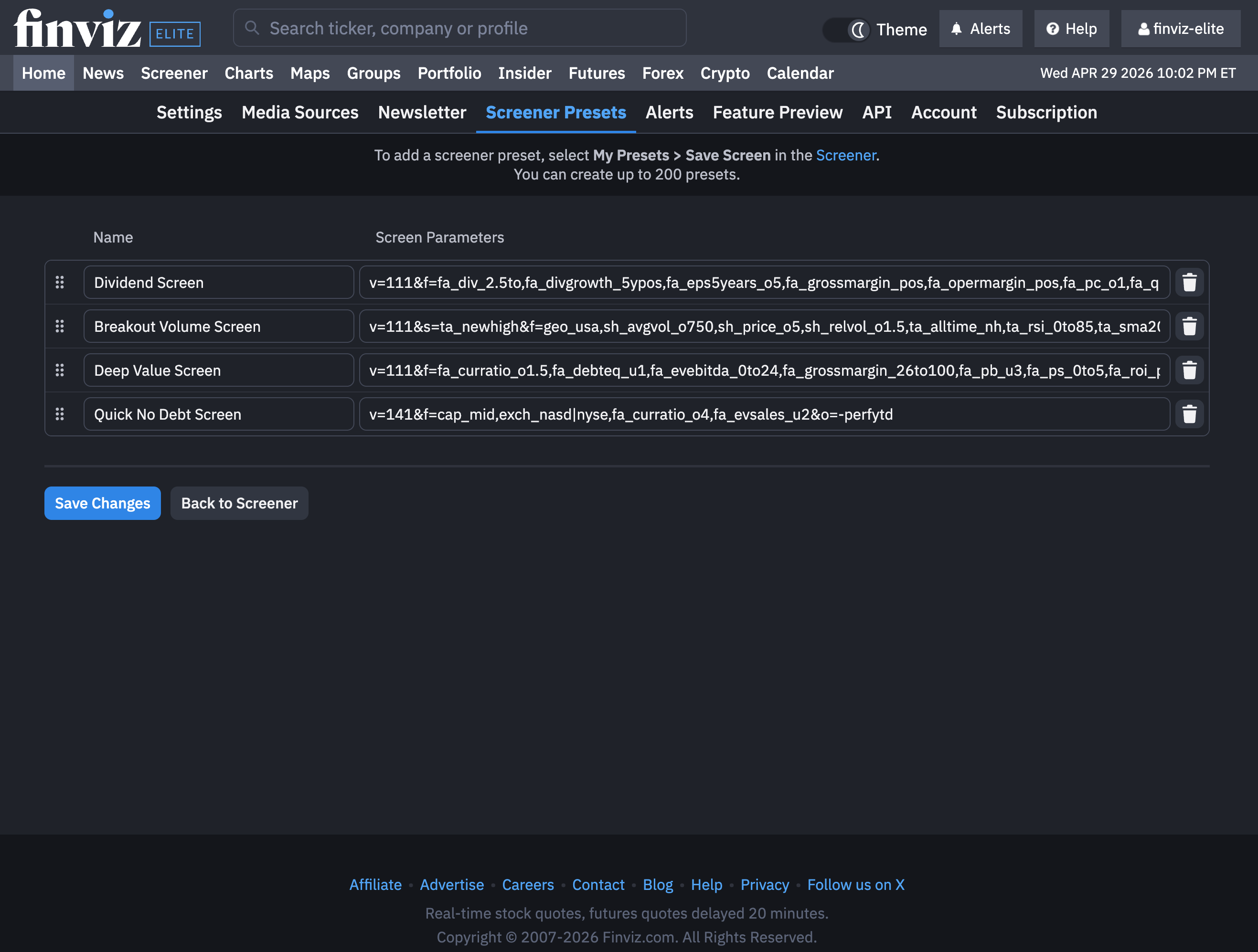
All of your saved screens can be updated, renamed, and saved without any heavy lifting. For instance, start by managing your saved screens directly, like this:
How To Save and Name Screens in Seconds
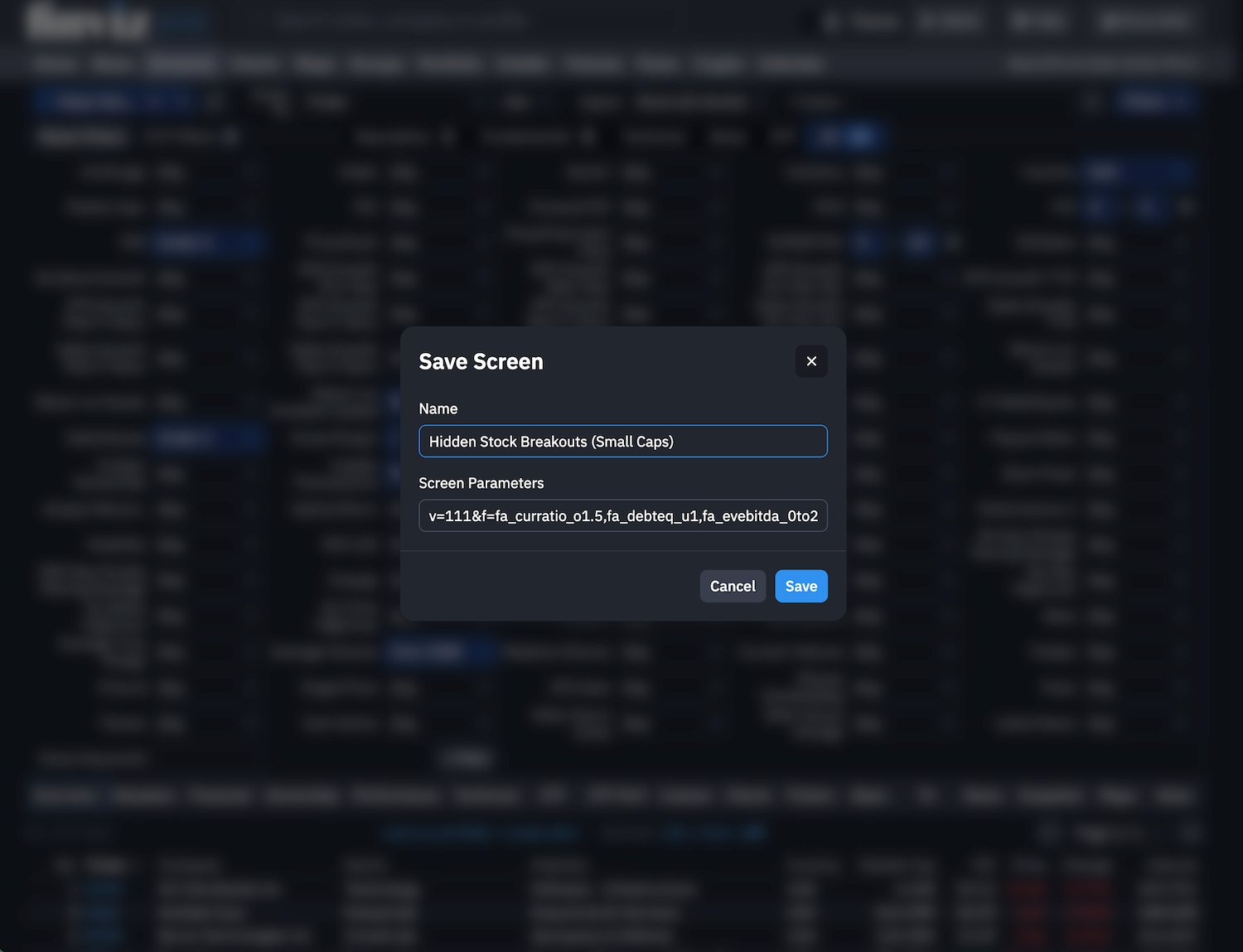
Once you've created your screener preset, click the pencil icon at the top left corner of the screener tool and select Save as New Screen. From here, you can check the parameters of your screen one final time, and most importantly, give it a name you can't forget.
In the screenshot below, you'll see that we're working on a screen called Hidden Stock Breakouts with a focus on Small Caps:
We look forward to seeing how every uses our new Screening feature, including creating a list of new screens that can easily be shared, saved, and edited within their Finviz profile.
Finviz Team