


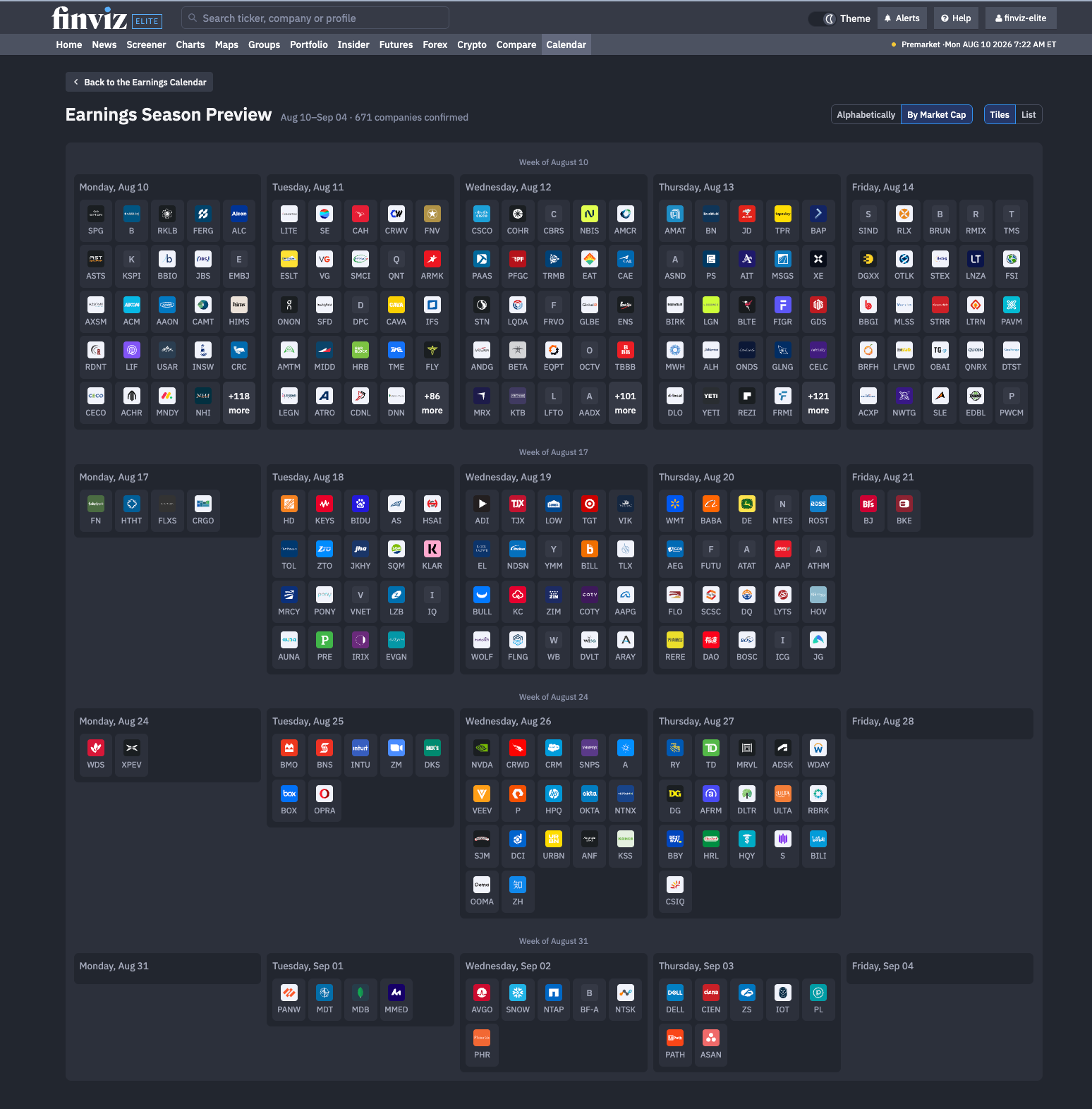
Our new Finviz Earnings Season Calendar gives traders a clear way to see what’s ahead. Instead of checking one day or one week at a time, you can now view every confirmed earnings report across the coming weeks in one complete calendar – like this:
Explore The Full Earnings Season
Our Earnings Season Calendar organizes upcoming reports into a visual, week-by-week layout. Each trading day has its own panel filled with company logos and stock logos, making it easy to scan the calendar and immediately recognize the names that matter to you.
You can also sort and organize the calendar to your exact needs:
- Sort companies alphabetically or by market capitalization
- Switch between visual Tiles and detailed List views
- Quickly identify the busiest days of earnings season
- Hover your mouse over each earnings report to see a more detailed view
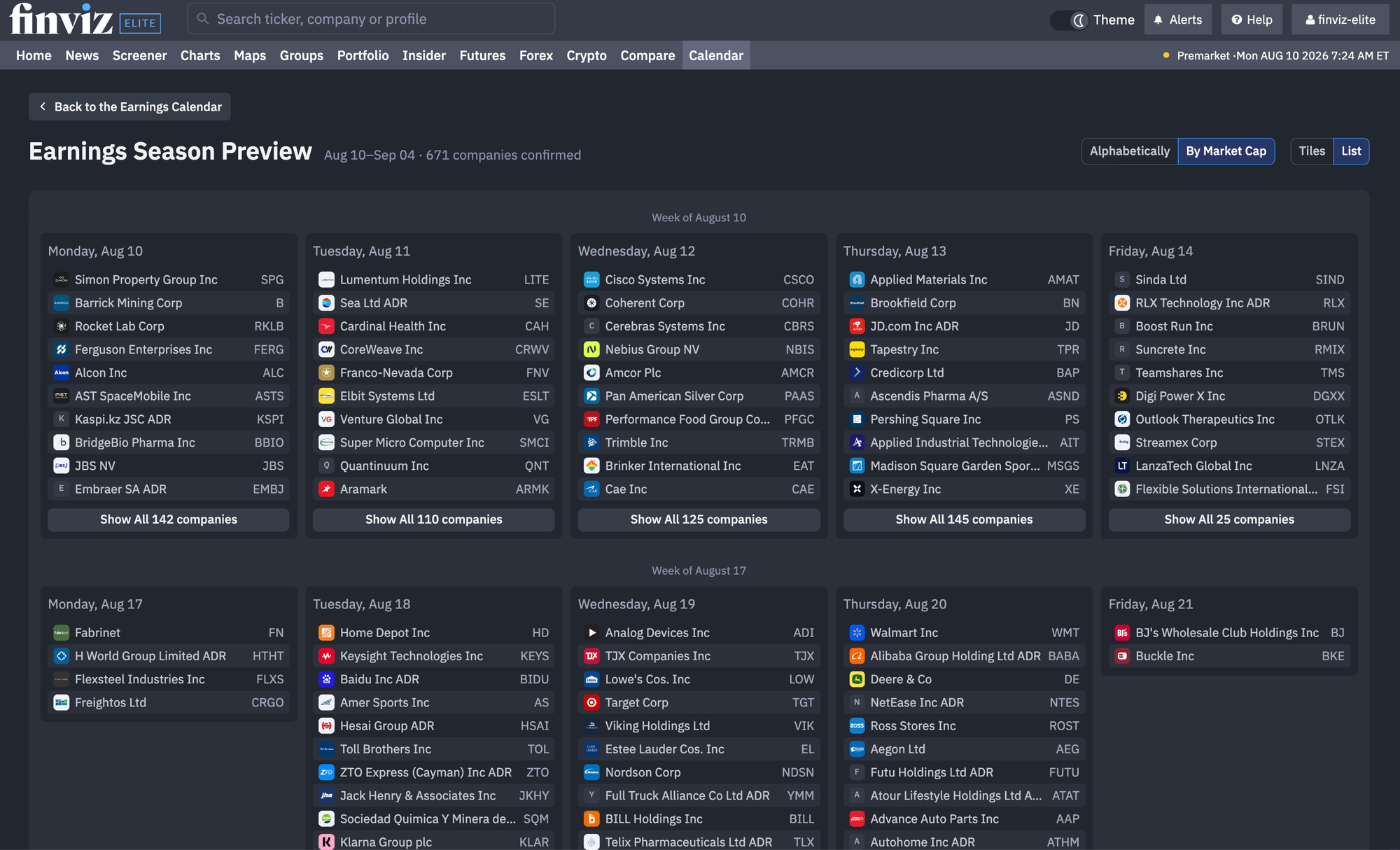
Sorting by market cap brings the largest and potentially most market-moving companies to the top. Alphabetical sorting makes it easier to locate a specific ticker. The Tiles view creates a highly visual overview of the season, while the List view offers a more traditional way to work through upcoming reports.
Here's our List View by Market Cap:
Plan Trades Weeks Before Earnings Hit
An earnings announcement can sharply increase volatility, affect option pricing and create overnight gaps. It can also move an entire sector as traders apply one company’s results, guidance and commentary to its competitors.
With our Earnings Season Preview, traders can look beyond the current week and start preparing earlier.
For example, several semiconductor, retail or financial companies reporting within the same week can reveal an emerging industry trend. The first report may set expectations, while each result that follows adds another piece to the story. Now, with our calendar view, it's quick and easy to see that.
Go Deeper With the Finviz Earnings Calendar
Once you know which companies are reporting, our standard Earnings Calendar provides the details needed to evaluate them.
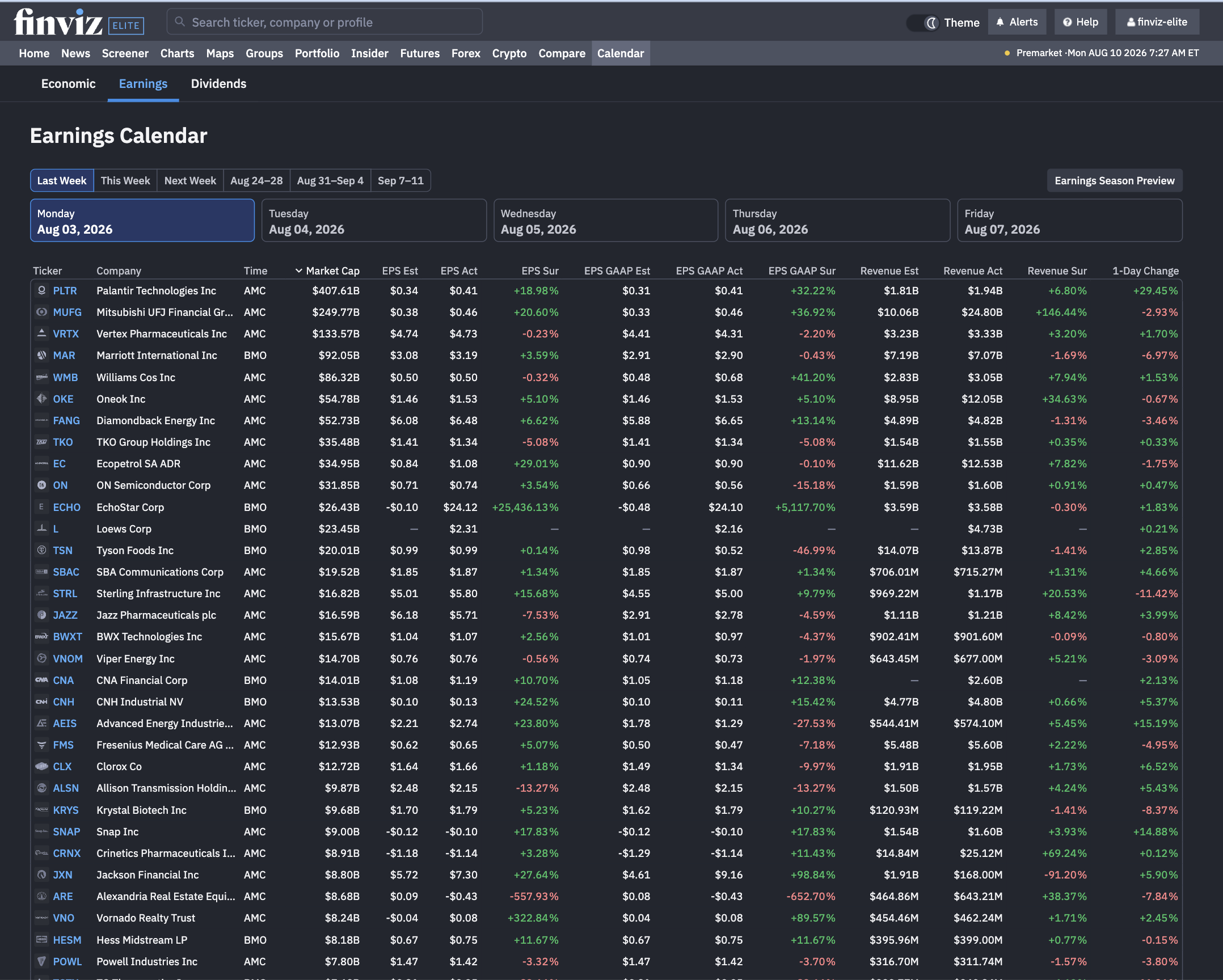
Choose a week, select a trading day and explore every scheduled report in a structured table. The calendar includes:
- Company name and ticker
- Before-market or after-market report timing
- Market capitalization
- Adjusted EPS estimates and actual results
- GAAP EPS estimates and actual results
- EPS surprise percentages
- Revenue estimates and actual results
- Revenue surprise percentages
- One-day stock performance
Before a report, the calendar shows what Wall Street expects. After the announcement, it becomes a fast comparison tool showing how the company performed against those expectations and how the stock responded.
By placing estimates, actual results, surprises and price performance together, the Earnings Calendar makes those reactions easier to study in one clear view:
With the new Finviz Earnings Season Preview and the expanded Earnings and Economic calendars, traders can see what’s coming, study what happened and prepare for the next major market-moving event all in one place.