


Our Finviz homepage continues to become more flexible, customizable, and powerful for Elite members.
With our latest homepage update, Elite members can now customize how market data appears on the homepage including signals, filters, auto-refresh behavior, after-hours pricing, and the layout of our world-famous Heatmaps including the ability to show two different Maps at the same time.
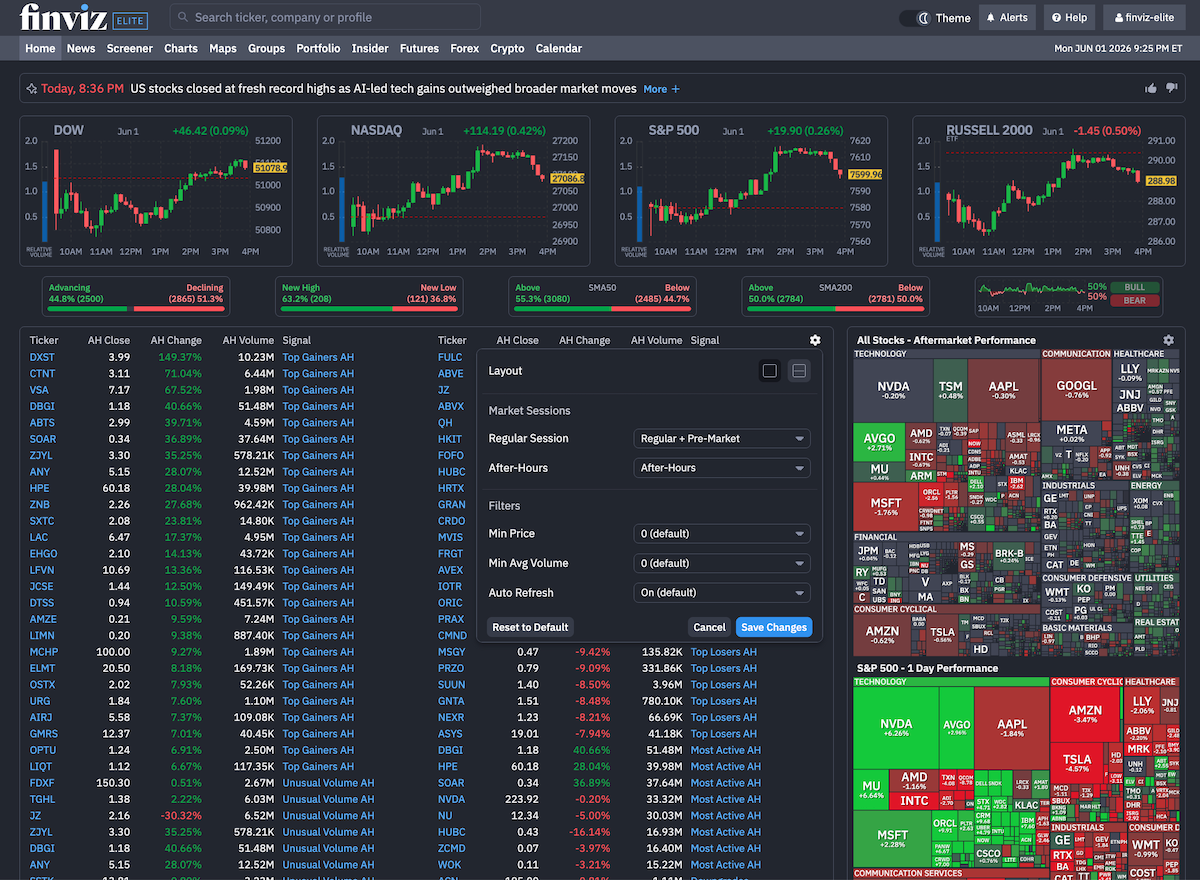
To get started, head to Finviz.com while logged into your Elite account and click the Settings wheel to begin customizing your layout:
More Control Over Signals and Filters
Elite members can customize key homepage settings to control the stocks, prices, and sessions they see each time they log in. With more control over regular-session, pre-market, and after-hours data, you can tailor the homepage to better match your trading or investing style at all hours:
• Minimum price filters i.e. only show stocks on the homepage that are above $10
• Average volume filters i.e. only show stocks on the homepage with 300,000+ shares traded
• Regular-session performance
• After-hours performance
• Pre-market performance
• Auto-refresh preference
These controls help reduce noise and keep your homepage focused on the stocks, markets, and signals that matter most to your strategy.
For example, if you only want to track stocks trading above $10 per share with average volume of at least 300,000 shares traded, you can configure your Finviz homepage to show exactly that.
Smarter After-Hours Controls
Our Elite homepage customizations now give members more control over regular-session, pre-market, and after-hours behavior.
This matters because the biggest market moves often happen after the closing bell. Earnings reactions, major news, futures movement, and overnight risk can all start showing up after the closing bell. With the new after-hours controls, your homepage can better reflect the session you care about most.
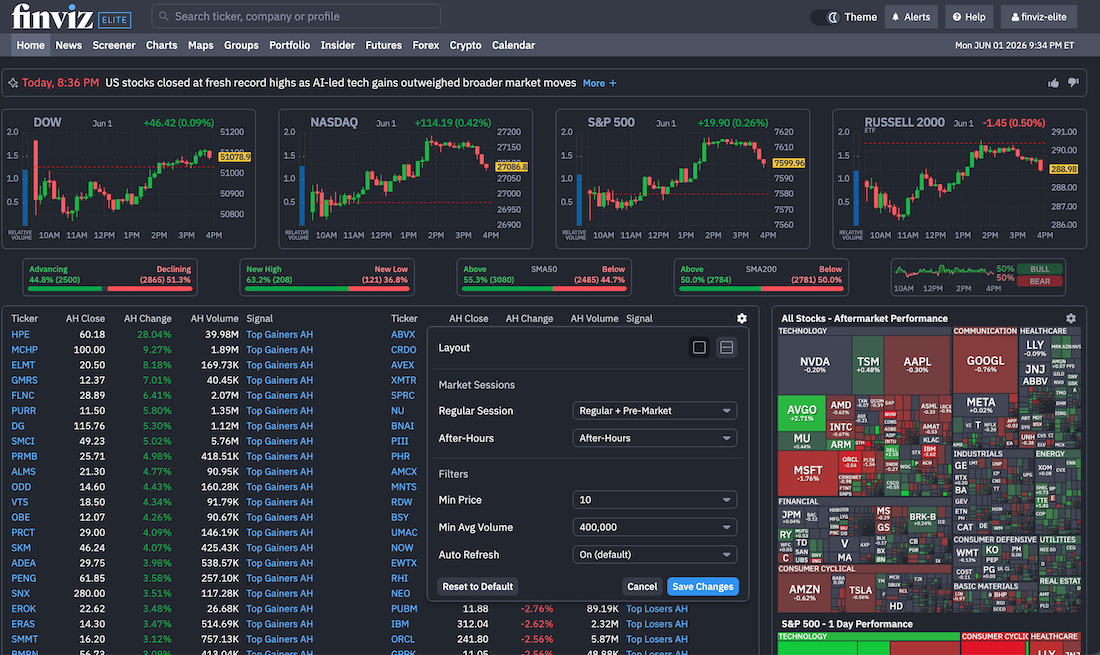
In the screenshot below, After-Hours is enabled with a minimum price of $10 and average volume set to 400,000 shares. Since HPE reported earnings after the close and surged 28% at the time of the screenshot, it instantly appears on the gainers list as the leading after-hours mover:
Auto Mode Handles the Session Shift
Auto mode has also been upgraded to dynamically show the price action that matters most depending on the settings you select. After the market closes on weekdays, Auto mode now switches the homepage to after-hours data. Outside that after-hours window, the homepage stays focused on regular-session data.
The goal is simple: less manual switching, more relevant market context each time you check your dashboard.
During the day, you see the regular market. After the close, the homepage shifts with the tape.
Two Maps. One Homepage.
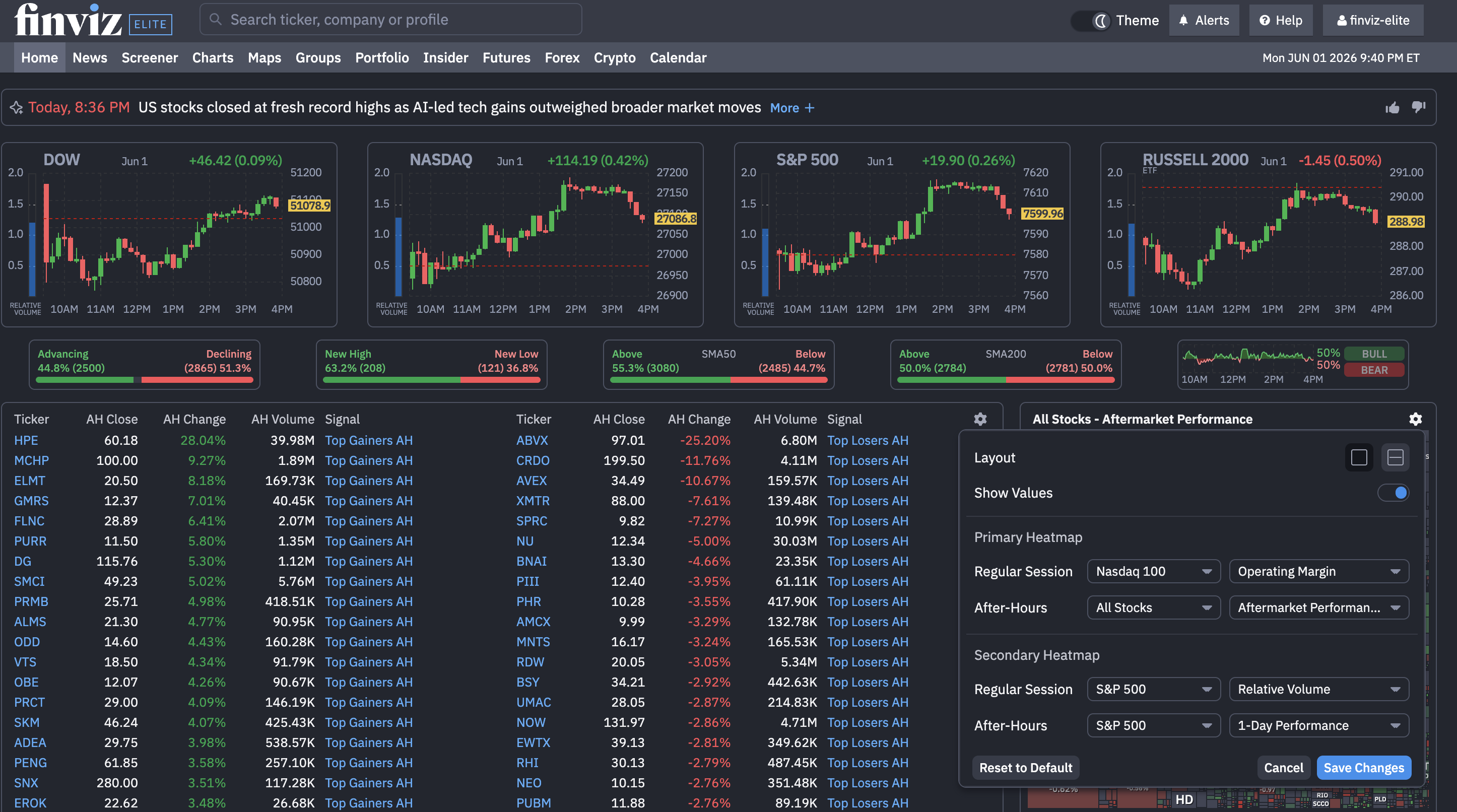
Elite users can now configure two separate homepage Maps and choose exactly what each one displays. You can customize:
• Number of Maps
• Map type
• Performance metric
• Session the Map calculates on
One trader might want the S&P 500 beside Nasdaq futures. Another might want crypto next to sector performance. Another might want regular U.S. equities on one side and after-hours movers on the other.
Instead of forcing every trader into the same market view, the homepage can now reflect how you actually follow markets. To get started, click the Setting wheel next to the Maps and make the changes you need:
A More Personal Finviz Homepage
The redesigned homepage is no longer just a static market overview.
For Elite users, it is becoming a customizable market dashboard built around your preferred maps, your preferred signals, your session preferences, and your trading workflow.
We look forward to seeing how you leverage this!
Finviz Team