


We’ve made several improvements to our Finviz API including how it connects with our Screener, a sleek new API dashboard, and crystal clear rate limits.
This update will be especially useful for Finviz members who use our API across spreadsheets, scripts, dashboards, AI or other automated systems.
Let's dive in.
A New Way to Manage Your Finviz API
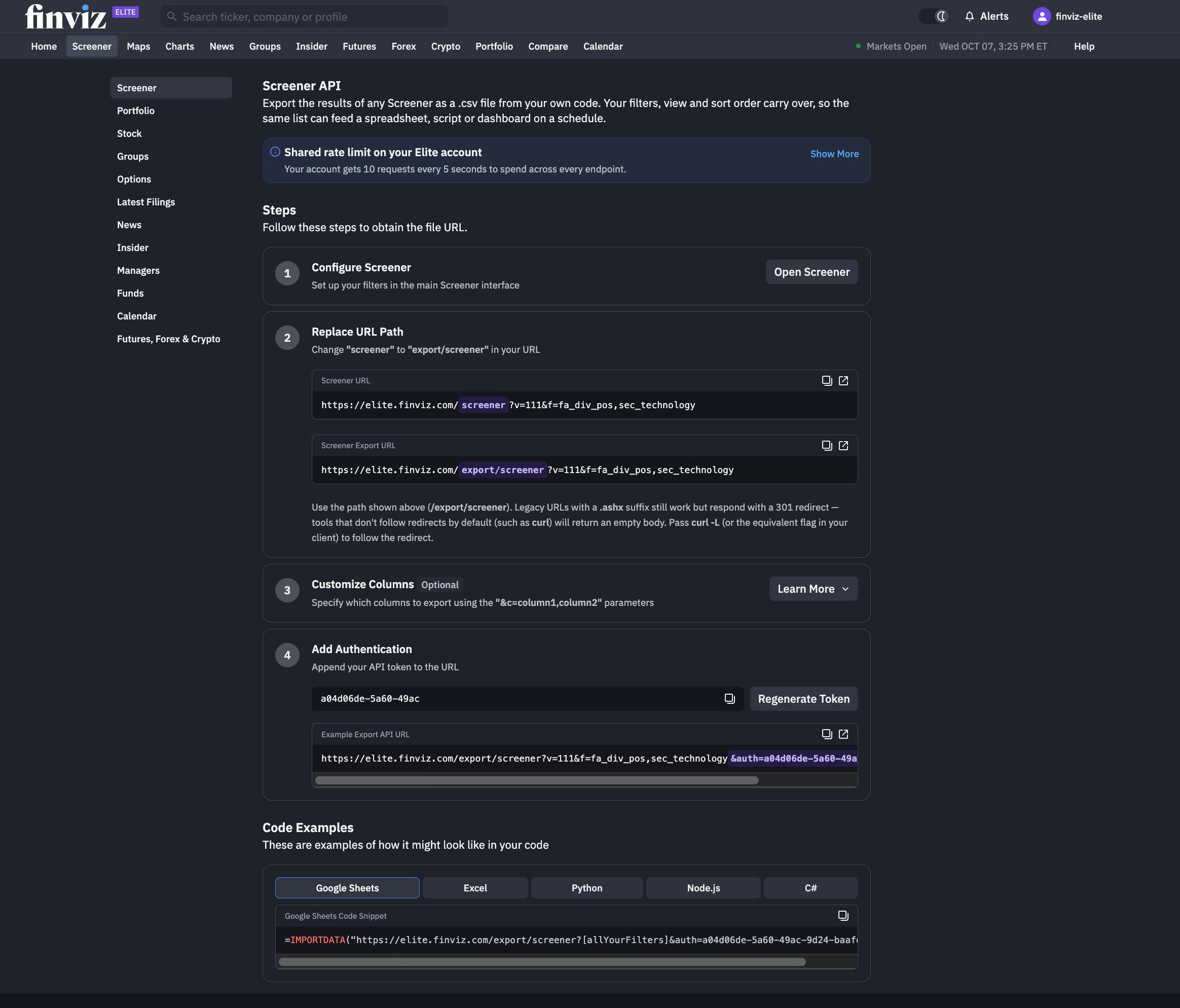
To get started managing access to our API, click your account profile in the top right-hand corner and then select API and Exports. This updated API space shows everything you need to get started:
- A neatly organized left-hand menu lets you explore API access by product from Screener and Portfolio to News, Groups, and now Insider trades, Managers, Funds, and Calendars.
- Each product includes a four-step process: configuring the tool, replacing the URL path, customizing the columns (optional) and adding your custom token, followed by code examples for Python, Google Sheets, Node.js, C# and Excel.
- Clear information about rate limits and API usage so that you can always stay within your limits.
A Faster Way to Export Screens via API
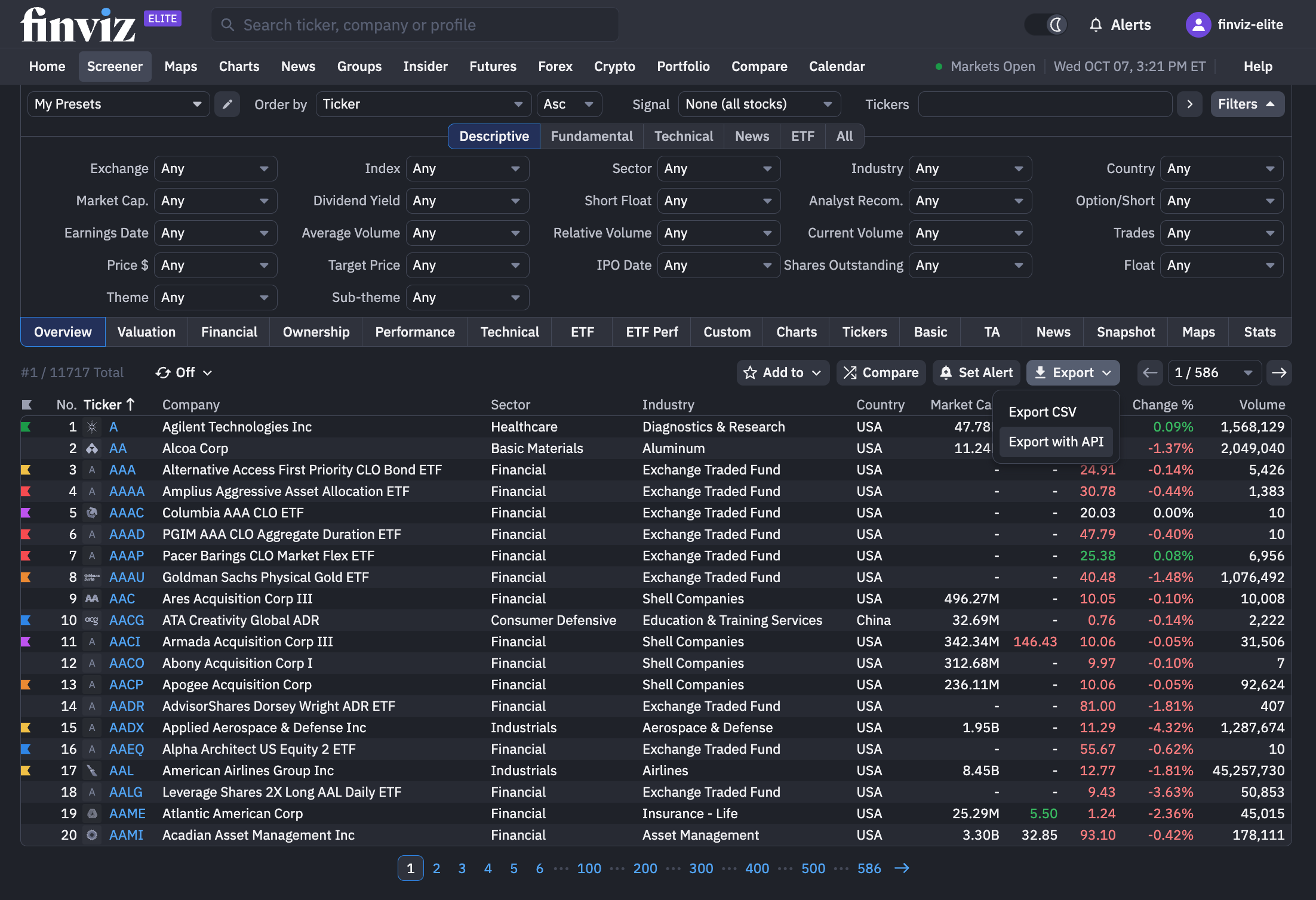
The idea is straightforward: build the screen you want in our world-famous Finviz Screener, then decide whether you want a CSV export or an API-based workflow specifically for that screen.
If you only need the data once, export the CSV. If the screen needs to feed a recurring process, choose the API route and code something powerful specifically to your process.
You can find this new dropdown menu on the right-hand side of your Screener results – every screen you make is now one-click away from being connected via API:
API Rate Limits Are Now More Clearly Displayed
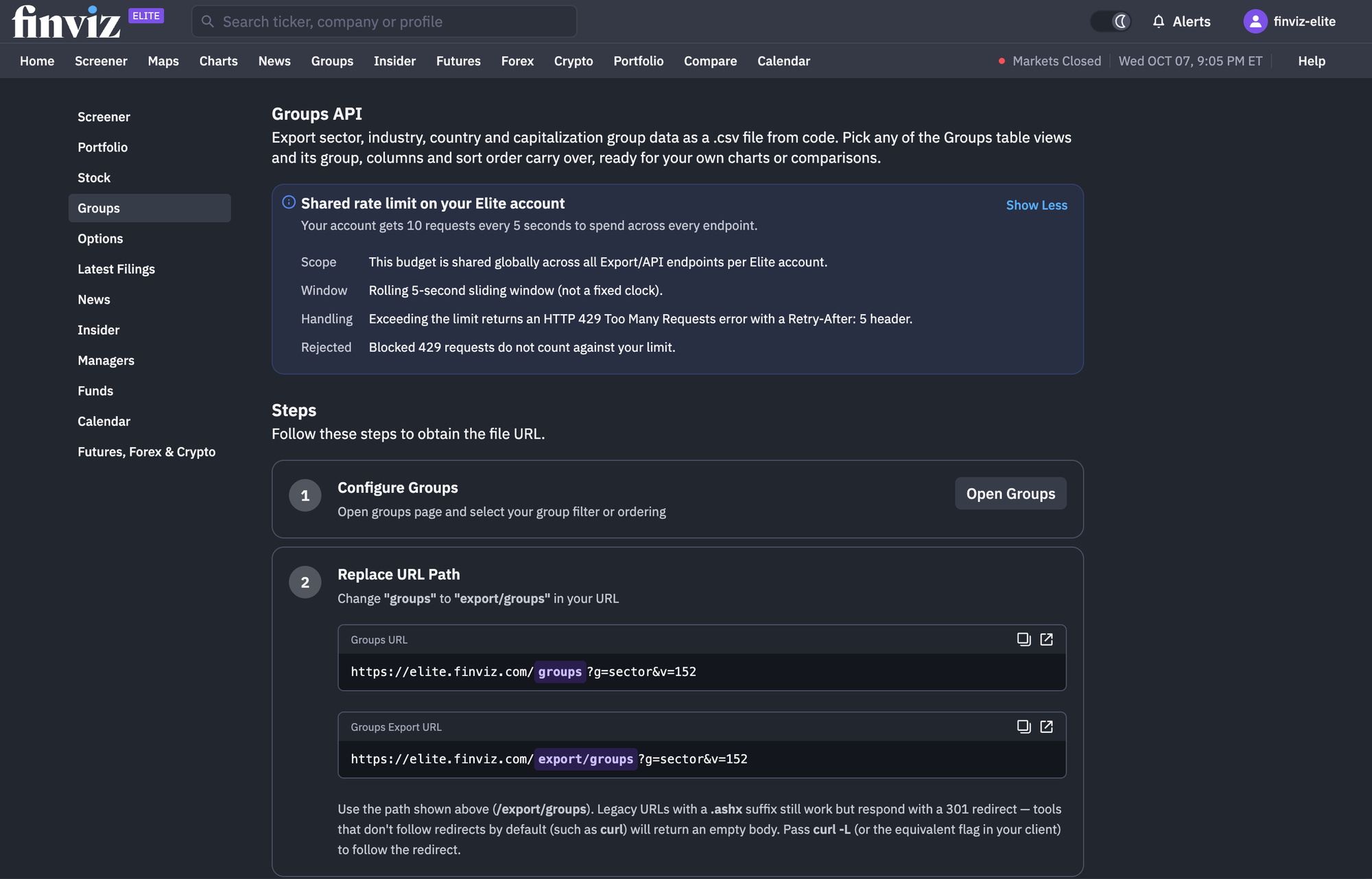
If you're a power user of our API, knowing how frequently you can make requests is essential to monitoring or metering your usage.
That's why we’ve added clear rate-limit information directly to all of our API documentation and directly on the new API and Exports homepage. For Finviz Elite members, the API allows 10 requests every 5 seconds. The important detail is that this limit is shared across all Export/API endpoints on the same Elite account:
How the Rolling Five-Second Window Works
The API uses a rolling five-second sliding window, rather than a fixed clock-based reset.
That distinction matters when requests arrive in bursts.
For example: if one script makes six requests on the Screener and another application makes four requests on Latest Filings during the same five-second period, the account has used the available request budget for that window as they all share the same limit.
This becomes relevant when several processes use the same Finviz account. You might have a spreadsheet refreshing one dataset, a script pulling another, and an internal dashboard making additional requests at roughly the same time.
For lighter API use, this may never be noticeable. But for automated workflows, especially ones making several requests close together, understanding the rolling window helps avoid unnecessary failures.
Clearer Handling When the Limit Is Reached
We’ve also improved what happens when an account exceeds its request allowance five-second window. When the rate limit is reached, the API returns:
HTTP 429 - Too Many Requests
The response also includes a:
Retry-After: 5
That gives applications a clear instruction about what to do next. Instead of repeatedly sending requests after hitting the limit, a script can detect the 429 response, wait, and retry.
The Retry-After response follows the standard approach used with HTTP 429 rate limiting, which is defined in the HTTP 429 specification in RFC 6585.
There is another useful detail in this new release of ours: requests rejected with a 429 response do not count against the account's request limit.
That keeps rejected requests from creating another cycle of rate-limit problems. For developers, the practical workflow becomes much clearer:
Request → Check response → Wait if 429 → Retry
This should make scheduled processes and integrations more predictable.
A New Era for the Finviz API
These updates bring greater clarity and consistency to the Finviz API, including fixes to how rate limits are handled, additional data, and a new way to manage each API product.
Your shared request limit is now visible, the five-second rolling window is clearly explained, and rate-limit responses behave predictably. Rejected requests do not consume additional capacity, making it easier to manage usage across scripts, spreadsheets, and other connected tools.
We’ve also made it easier to put your research to work with API exports accessible directly from the Screener toolbar. This means you can build a screen, review your results, and choose how to use the data next.
Whether you’re updating a spreadsheet, powering a custom dashboard, or running a scheduled market scan, the path from finding opportunities to connecting your workflow is more straightforward.
Explore our API and Exports page today to see how you can connect the Finviz API to the tools you use every day.
Finviz Team