


The Finviz Screener now works as two separate products: the Stock Screener for stocks and the ETF Screener for exchange traded funds. Each one is optimized for its own asset class. That means more precise filters, more data, and an easier way to tailor your workflow to your strategy.
Why We Split the Screener
Stocks and ETFs are evaluated by different metrics. For a stock, valuation ratios and financials matter most; for a fund, it's the holdings, assets under management, and the index it tracks.
To develop each product to its full potential, we gave stocks and ETFs a screener of their own. This lets us offer more detail and more filters and it lets you fine-tune the screener to your exact trading strategy.
What to Try First
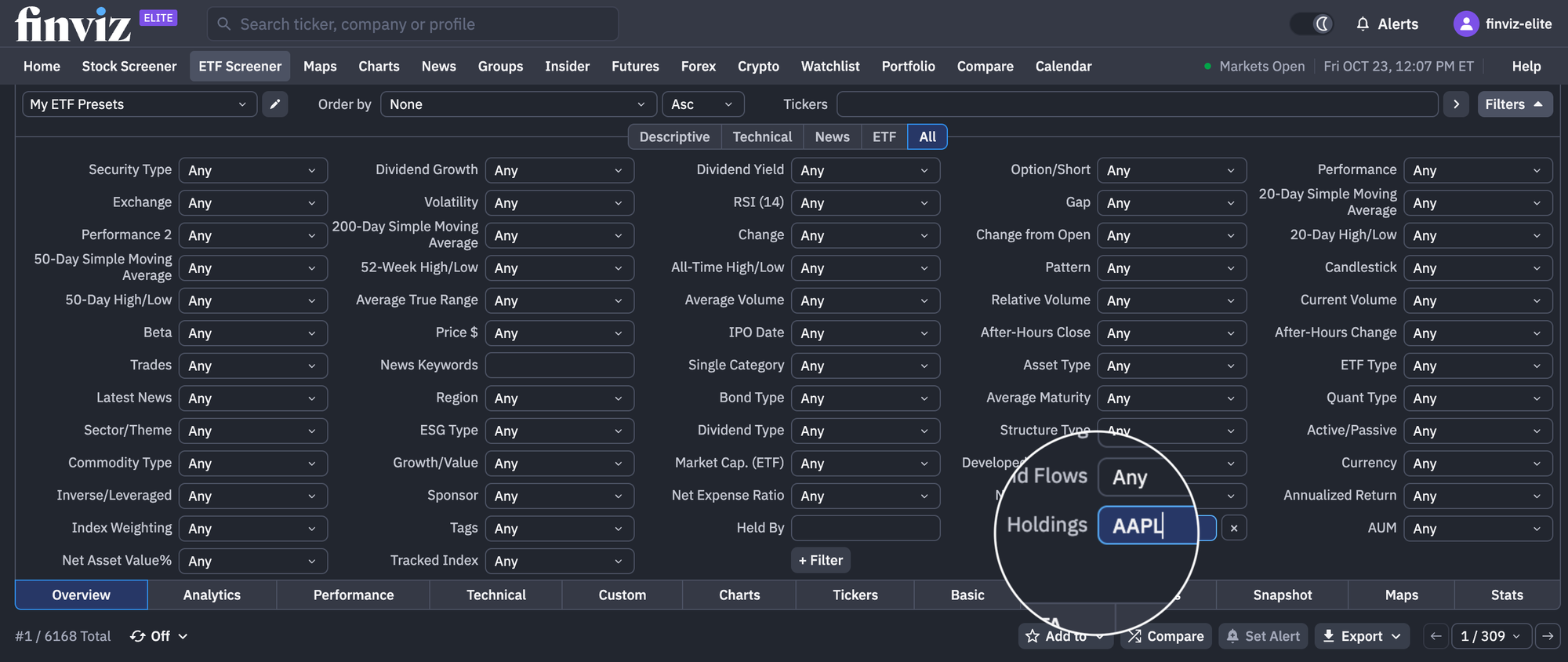
Holdings in the ETF Screener: Enter a ticker, such as AAPL, to see every fund that holds that stock in its portfolio. This helps in several situations.
If you like a company, but don't want to put your money into a single stock, you can find funds that give you direct exposure to it along with a path toward diversification.
If you already own the stock, use our Holdings tool to instantly see which ETFs also hold it. This way, you don't end up doubling the same position through different instruments.
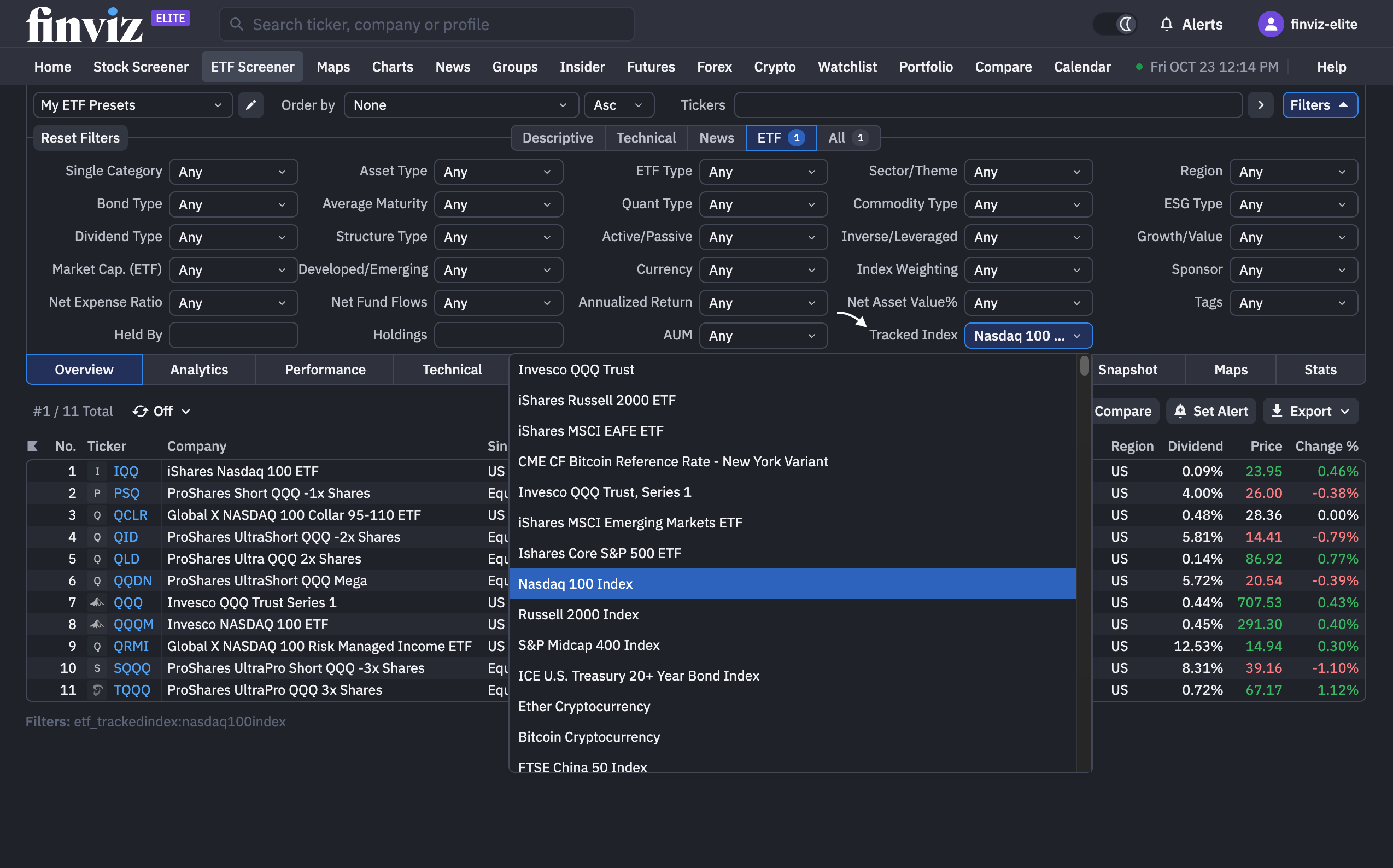
Tracked Index in the ETF Screener: Find every fund that tracks a given index, such as the S&P 500. There can be dozens of funds on the same index, and you used to have to find and compare them one by one.
Now they're all in one table, so you can compare them on key metrics and choose the one that fits you best.
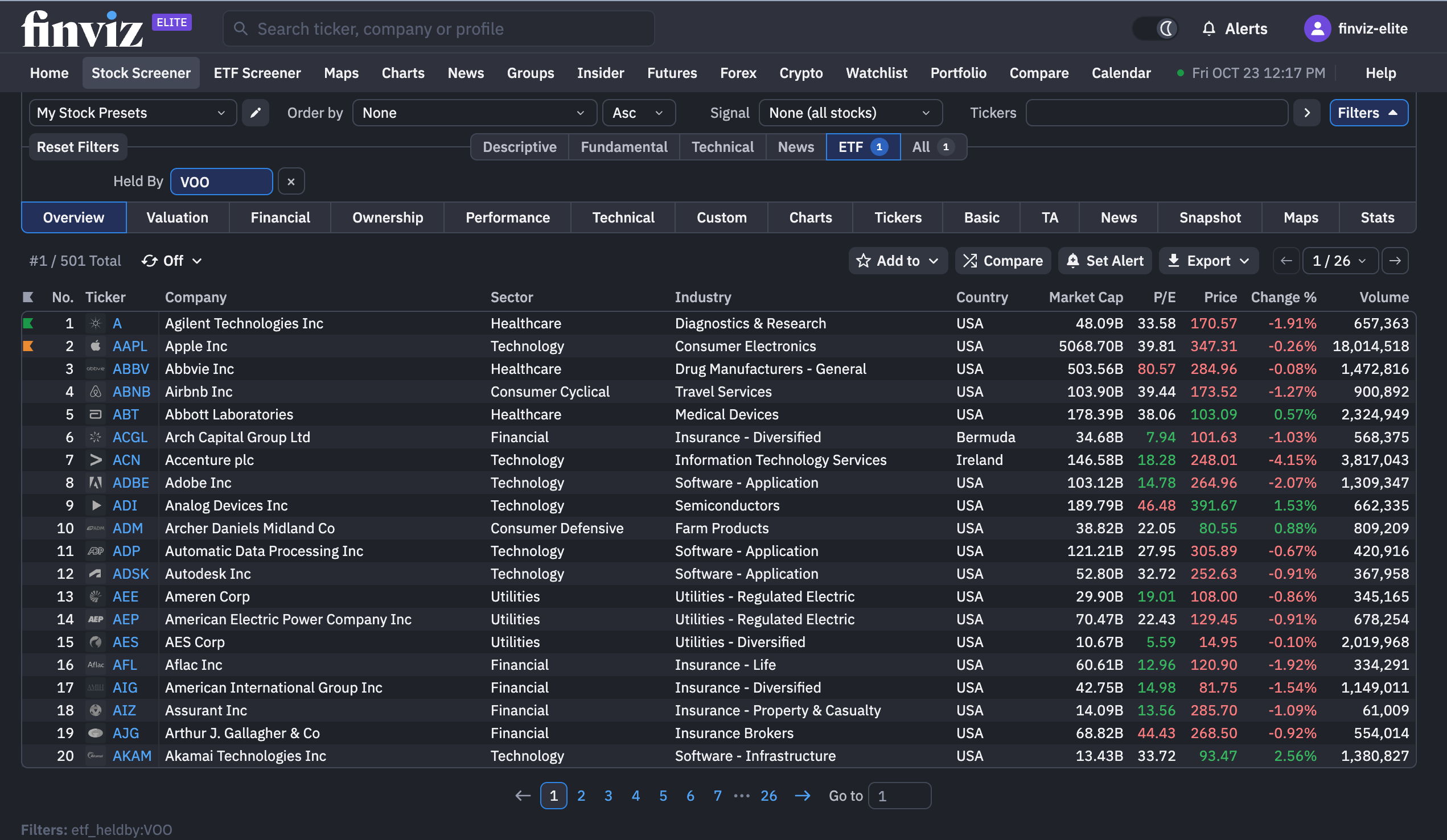
Held By in the Stock Screener: Head back to the Stock Screener, select the Held By filter and type VOO to get every stock that fund holds.
Heatmap and Bubbles: Switch to these views and see your list in a whole new way. They're beautiful, clear, and, honestly, a little addictive.
Watching ETF Bubble Maps on Finviz - See it in the ETF Screener
by u/FinvizTeam in finviz
How This Helps Your Everyday Workflow
The Stock Screener and the ETF Screener are two separate tools, but their real strength is in how they work together.
Say you want to trade tech companies but don't want to sift through the entire market every time. Start in the ETF Screener: use Tracked Index to find funds that track the Nasdaq-100 and pick one, such as QQQ. Then switch to the Stock Screener and select the Held By filter → QQQ. You now see every company in the fund, and that's your starting universe.
From there, work with it the way you always do: add the filters, signals, and sorting that fit your strategy. For example, keep only the stocks hitting new highs or showing unusual volume. The result is a short list of opportunities right now, drawn from a set of companies that has already passed a major fund's selection.
The workflow looks like this: fund → its holdings → your signals → the best opportunities right now.
Instead of searching the entire market, you start from a clear, vetted universe and get to specific ideas in just a few clicks.
If You Used the Previous Screener
Don't worry: all of the presets you've come to know and love were seamlessly moved, without disruption, and continue to exist in each screener or both at the same time:
- Presets with stock filters and visualizations are now in the Stock Screener, and fund presets are in the ETF Screener. If a preset had settings for both stocks and ETFs, we split it into two presets, one in each screener. Each copy keeps the filters its screener supports.
- Presets with only common filters (such as volume, RSI, or exchange) were copied into both screeners, so seeing duplicate presets appear twice is expected—you can simply delete the unneeded copy as you see fit.
- Old screen links still work too: they automatically redirect to the right screener following the same rules. This ensures all of your old links or work stays easily accessible.
- Your alerts keep working just as they did before. We sorted them by the same rules as presets: alerts with stock filters became Stock Screener alerts, and alerts with fund filters became ETF Screener alerts. Any unallocated or unclear alerts default to becoming Stock Screener alerts. The alert name and the alert email indicate which screener it belongs to. Important note: If you need any ETF alerts, they need to be recreated in the ETF Screener.
We Want to Hear From You
This is just the beginning for our dedicated Stock and ETF Screeners. We’ll continue adding features and refining both tools, with your feedback helping shape what comes next.
Throughout these updates, we remain committed to what you’ve always valued about Finviz: accurate data and a fast, responsive platform that makes finding your next investment opportunity easier.
We’d love to hear what you think and what you’d like to see next.
Finviz Team