


For 15+ years, our stock and ETF screener has led the way in web-based market research. In this post, we're introducing two new features that make the Finviz Screener even more dynamic: Daily Digest column and Screener Flags.
Screener Flags: Quickly Label Stocks and ETFs
One of the biggest challenges when screening stocks is keeping track of what you’ve already researched and why a ticker caught your attention. Our new Screener Flags solve this problem by allowing you to add colorful visual labels directly to tickers in the screener. Hover your mouse at the far left of the Screener to add a flag:
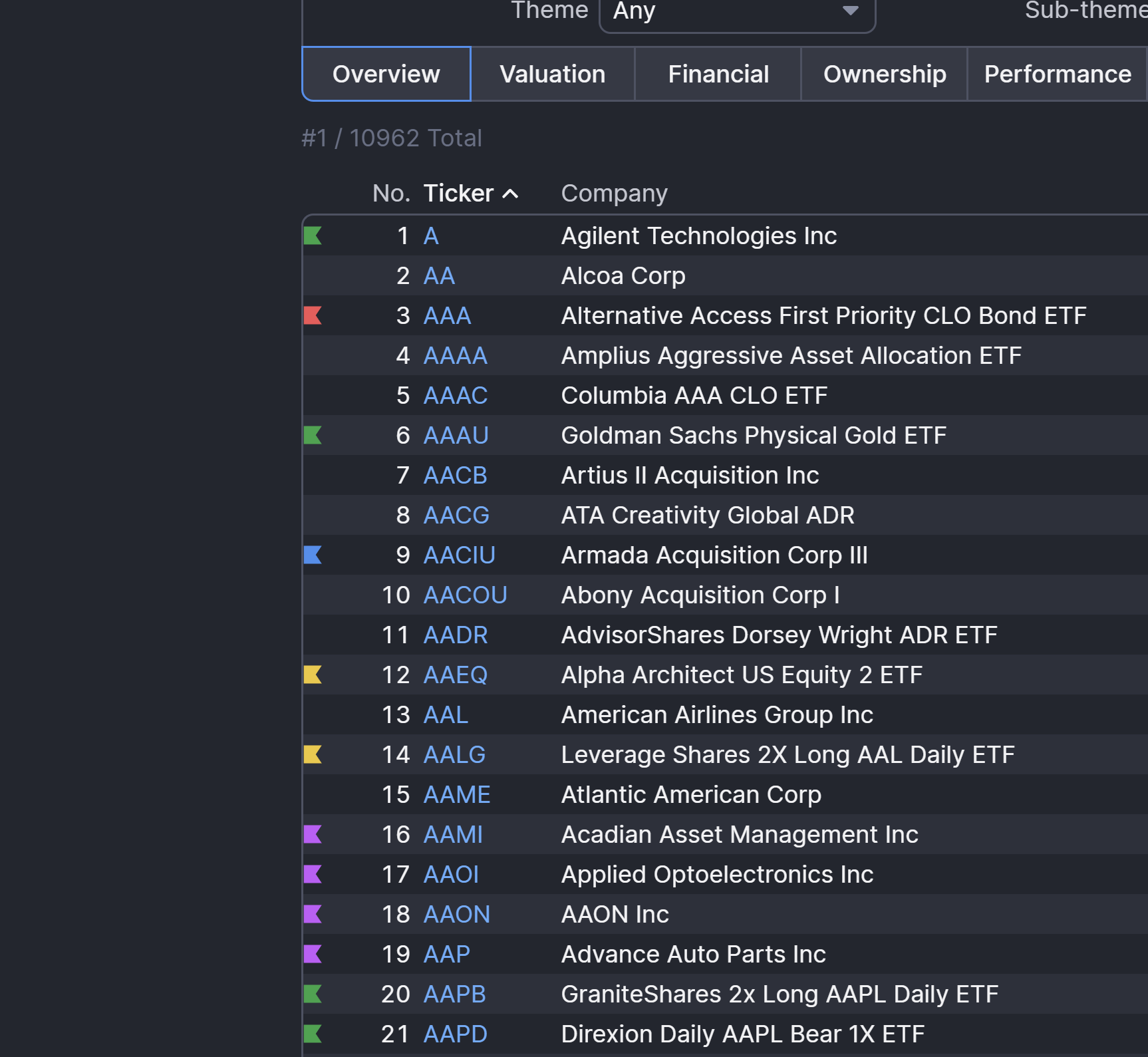
This new flag tool serves as visual markers that help categorize and organize tickers based on your strategy. Flags come in different colors including green, red, blue, yellow, and more. Soon, you'll be able to track them across the entire Finviz experience.
For example, you might use:
• Green flags for stocks you’re bullish on
• Red flags for stocks you’re watching on the short side
• Blue flags for companies you want to research later
• Yellow flags for earnings watchlists
• Purple flags for long-term ideas
Once flagged, these tickers immediately stand out in the screener, making it much easier to scan through large lists of stocks and recognize the symbols that matter to you.
Daily News Digest: Context Inside the Screener
The second major upgrade is our new Daily Digest column. When scanning for stocks, one of the first questions traders ask is simple: why is this stock moving the way it is?
The Daily Digest column answers that question immediately by displaying a quick headline summarizing the latest relevant news or event related to that ticker. Instead of opening multiple tabs or searching for news manually, traders can now see what’s driving a stock directly alongside the screening data like this:
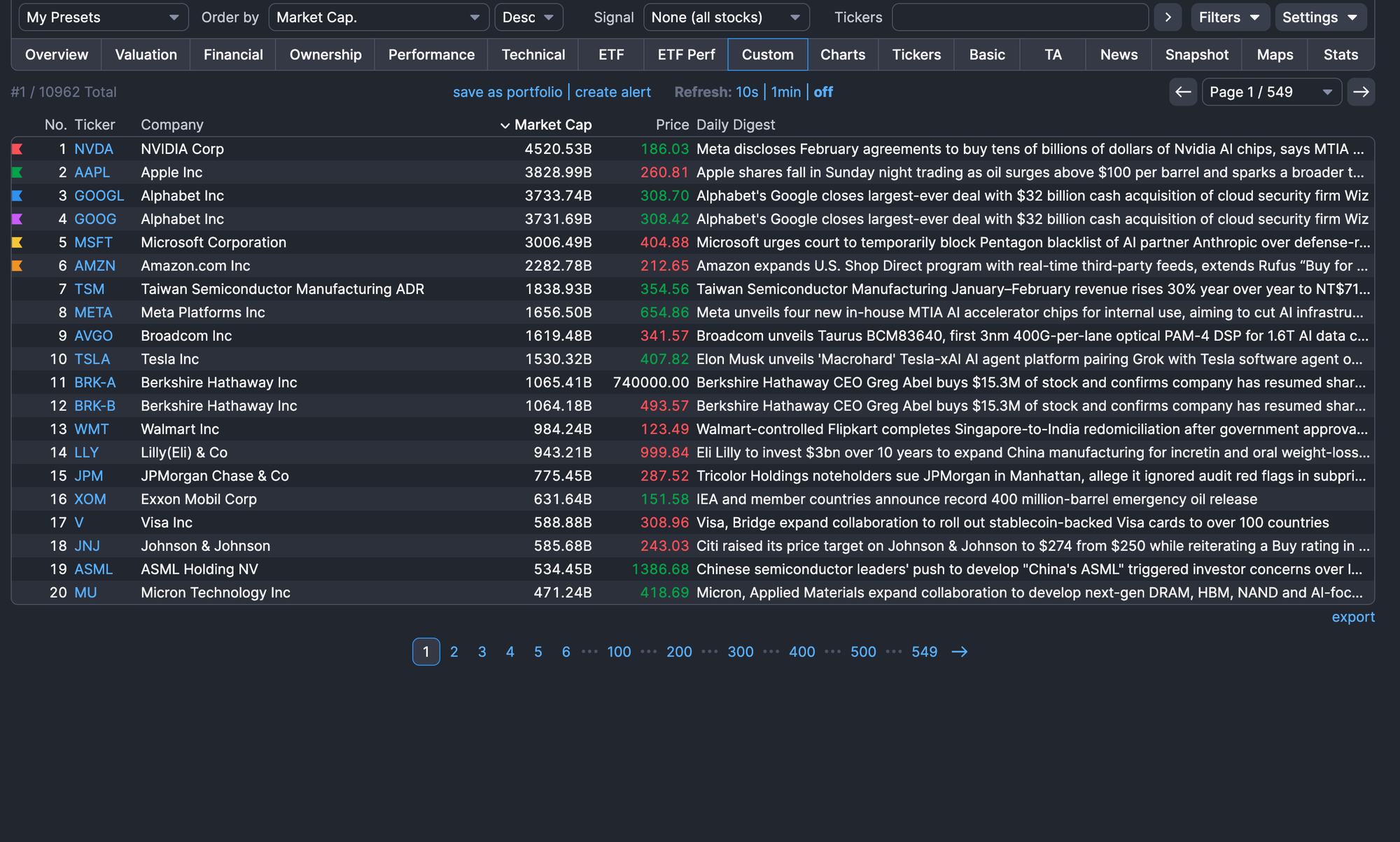
For example, while screening for high-volume movers or stocks breaking out to new highs, the Daily Digest column will show headlines about earnings announcements, analyst upgrades, acquisitions, product launches or other catalysts that are behind the move.
To enable it:
Step 1: Open the Finviz Screener
Step 2: Switch to the Custom view
Step 3: Click Settings
Step 4: Check the new Daily Digest box to turn it on
These new features are live now for Elite Finviz members.
This is just the beginning of what we’re building. Stay tuned for more releases and capabilities being added to your plan.
Finviz Team